Replace a webpage with only the text that interests you
2 min read
Sometimes information you're looking for on a website is not (1) available at a quick glance (ie. no parsing through non-essential elements), and (2) easy to extract for other purposes, such as doing a comparison between different projects or tracking changes to a project.
One solution for this is to use browser developer tools and a little javascript.
Javascript example
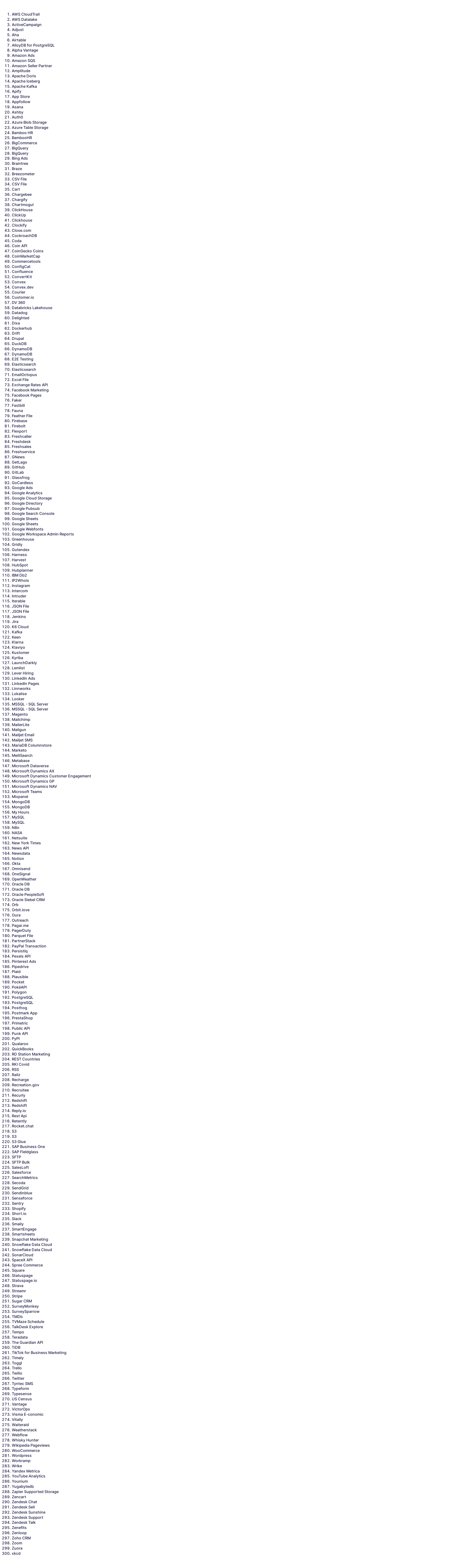
As a quick example, let's say you'd like to only see a numbered text list of what connectors available for Airbyte.
You can open your browser's developer tools and run the following javascript in the console.
Note: If you're unsure how to use your browser's developer tools, you may find Mozilla's article here helpful to review.
// Get all the elements containing the names of the integrations and stores them in a variable.
let title = document.documentElement.getElementsByClassName('card-title');

// Create an empty array called 'titlesArray' to store the text of each 'card-title' element
var titlesArray = [];

// Loop through each 'card-title' element
for (const element of title) {
  // Add the text of the current 'card-title' element to the 'titlesArray' array
  titlesArray.push(element.innerText)
}

// Sort the 'titlesArray' array alphabetically
let titlesArraySort = titlesArray.sort();

// Create a new ordered list element using the createElement method of the Document Object Model (DOM)
let list = document.createElement('ol');

// Loop through each element in the 'titlesArraySort' array
for (let i=0; i<titlesArraySort.length; i++){
  // Create a new list item element using the createElement method of the DOM
  let item = document.createElement('li');
  // Set the text of the list item to the current element in the 'titlesArraySort' array
  item.innerText = titlesArraySort[i];
  // Append the new list item to the ordered list element created earlier
  list.appendChild(item);
}

// Define a function called 'removeAllChildNodes' that will remove all child nodes from a given parent element
function removeAllChildNodes(parent) {
  while (parent.firstChild) {
    parent.removeChild(parent.firstChild);
  }
}

// Get a reference to the <body> element using the querySelector method of the DOM
let bodyElement = document.querySelector('body');

// Remove all child nodes from the <body> element using the removeAllChildNodes function
removeAllChildNodes(bodyElement);

// Append the new ordered list element to the <body> element using the appendChild method of the DOM
bodyElement.appendChild(list);

// Add margin and padding for better readability

listElement.style.marginLeft = "50px"
list.style.padding = "50px"
Images of the webpage before & after javascript
Before

After